Interface Languages : English, Russian, French, Hungarian, Polish, Turkish, Czech, Ukrainian.
CC Adobe Photoshop - a program for processing raster graphics. Supports numerous graphic formats. Adobe Photoshop allows you to create new images and edit them. Photoshop used to create photorealistic images to work with color scanned images, retouching, color correction, transformation of graphs, color separation, etc. Adobe Photoshop has all the methods of working with bitmaps, in this case is to work with layers and uses contours. The program is the undisputed leader among professional graphic editors due to its widest possibilities, high efficiency and speed. Adobe Photoshop provides all the necessary tools for correcting, editing, preparing images for printing and high quality output.
New features in Photoshop CC are listed below:
NEW Easier by Photoshop. Photoshop CC part of Creative Cloud . Therefore, it is available to users all the latest updates, and access to new versions available from the date of issue. Publishing capabilities in the cloud can organize your files on multiple computers. Through integration with the Behance can share their projects with other users directly from the program Photoshop CC and receive instant feedback on their work from designers from all over the world. See more>
NEW The new Smart Sharpen. A variety of textures, sharp contours and clear details. The new Smart Sharpen is the most modern technology to increase the sharpness of today. It analyzes the image, allowing you to maximize clarity, and significantly reduce the noise and ghosting to create high-quality images that look natural.
NEW Intelligent increasing sampling. Increase the low resolution image for use in print or image to the size of the average quality of the billboard or poster. A new feature allows you to keep up-sampling detail and sharpness without making noise.
NEW Advanced Features. As a component of Creative Cloud, Photoshop app gives you all the power of image editing and video editing, and also includes advanced tools for editing three-dimensional objects and analysis of images, previously only available in Photoshop Extended.
NEW Camera Raw 8 and layer support. Apply edits Camera Raw as a filter for layers and files in Photoshop, and then Upgrade layers and files you fit properly. In addition, with the new external module Adobe Camera Raw 8, you can more accurately correct the images, eliminate perspective distortion and create a vignette.
NEW Variable rectangles with rounded corners. This is one of the most requested features. Now you can change the size of the figures, as well as edit them, both before and after its creation. You can even change the radius of the corners of rectangles. If the figure is intended to be placed on a web page, you can export data from the CSS file in order to save time.
NEW Ability to simultaneously select multiple contours and shapes. Increase the efficiency of their business processes, quickly picking contours, shapes and vector masks in just a few clicks of the mouse. Even in a multi-document with a lot of loops can easily find the right path (and layer) directly on the canvas, using the new filter mode.
NEW Image Stabilization camera. Take photos even a moving camera. If the picture is blurry due to the slow shutter speed or a large focal length, the function Image Stabilization Camera analyzes the trajectory and restores sharpness.
NEW Expanded support for smart objects. Apply effects, picture blur and plastic materials with the possibility of reversible correction with support for smart objects. Add blur effects, pushing, pulling, wrinkling and swelling pictures or video, while maintaining the ability to go back to the original file. Change or remove the effects whenever you want, even after saving the file.
NEW Improved drawing of three-dimensional objects. When working with three-dimensional objects and textures to create interactive maps of the preview can now be up to 100 times faster. Thanks to the powerful mechanism of drawing in Photoshop, you can create stunning three-dimensional model.
NEW Improved font styles. You spend hours on the whole design of the font. The use of font styles will keep the formatting as a style, and then apply it with one click. You can even specify font styles to be used in all your documents Photoshop.
NEW Copy attributes CSS. When creating a web design code manually, you can always create elements such as rounded corners or color corresponding to the original. Photoshop can now create CSS code for the specific design elements. You only need to copy and paste the code into your web editor to get the desired result.
NEW Conditional action. Automate routine operations using conventional machining operations. To automatically select the different actions based on the rules you create in these commands are used instructions if / then.
NEW Improved panel 3D-scene. With the ease of changing from two-dimensional to three-dimensional editing thanks to the panel 3D-scene, which contains a set of parameters familiar to you, with whom you have worked before in the Layers, such as Duplicate, Create an instance, Groups and Delete.
NEW features that help save time. Reduce time spent on routine tasks, thanks to the small, but very user-friendly features, users are asked to realize that. Quickly create contours with new keyboard shortcuts, mouse, move the contours of space, include ICC profiles in formats PNG, and more.
NEW Improved 3D-effects. Shadows and reflections can turn your 3D-illustration of a masterpiece, and interactive preview images of higher quality will create memorable works even faster. In addition, you can now easily create glow effects, stage lighting, as well as highlighting the reliefs and textures of higher quality.
NEW Import colors from the web files. Import the color samples directly from files HTML, CSS and SVG. Change these samples as you wish or just use the ready-made color schemes are based on an existing web content.
NEW System font smoothing. With the parameter, which smoothes the corresponding smoothing that is implemented on the Mac or Windows , you can now create realistic previews that allow you to see how a font will look on your web pages.
System requirements
Windows
Intel® Pentium® 4 or AMD Athlon® 64 processor (2GHz or faster)
Windows 7 with Service Pack 1, Windows 8, or Windows 8.1
1GB of RAM
2.5GB of available hard-disk space for installation; additional free space required during installation (cannot install on removable flash storage devices)
1024x768 display (1280x800 recommended) with OpenGL® 2.0, 16-bit color, and 512MB of VRAM (1GB recommended)*
Internet connection and registration are necessary for required software activation, membership validation, and access to online services.†
Mac OS
Multicore Intel processor with 64-bit support
Mac OS X v10.7 or v10.8
1GB of RAM
3.2GB of available hard-disk space for installation; additional free space required during installation (cannot install on a volume that uses a case-sensitive file system or on removable flash storage devices)
1024x768 display (1280x800 recommended) with OpenGL 2.0, 16-bit color, and 512MB of VRAM (1GB recommended)*
Internet connection and registration are necessary for required software activation, membership validation, and access to online services.†
* 3D features are disabled with less than 512MB of VRAM.
Installation Instructions
1. Disable internet
2. Install program in trial mode
3. Copy patch in program directory:
x86:
C:\Program Files (x86)\Adobe\Adobe Photoshop CC
x64:
C:\Program Files\Adobe\Adobe Photoshop CC (64 Bit)
4. Run patch and click "Patch" button
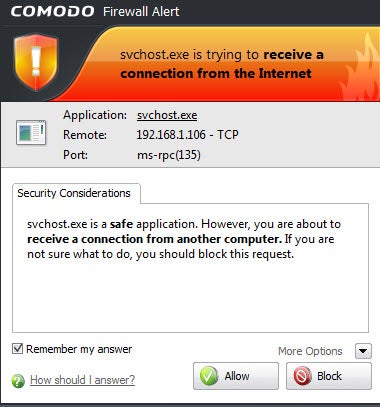
5. Block program access to the internet with your favorite firewall !!!!!!!!!
Enjoy!!!
PD. Instead of using the patch, you can copy the libraries cracked (folder "amdlib", used by operating system 32bit/64bit) en route:
32-bit: C: \ Program Files \ Adobe \ Adobe Photoshop DC
64-bit: C: \ Program Files \ Adobe \ Adobe Photoshop CC
Download Now
Download Now